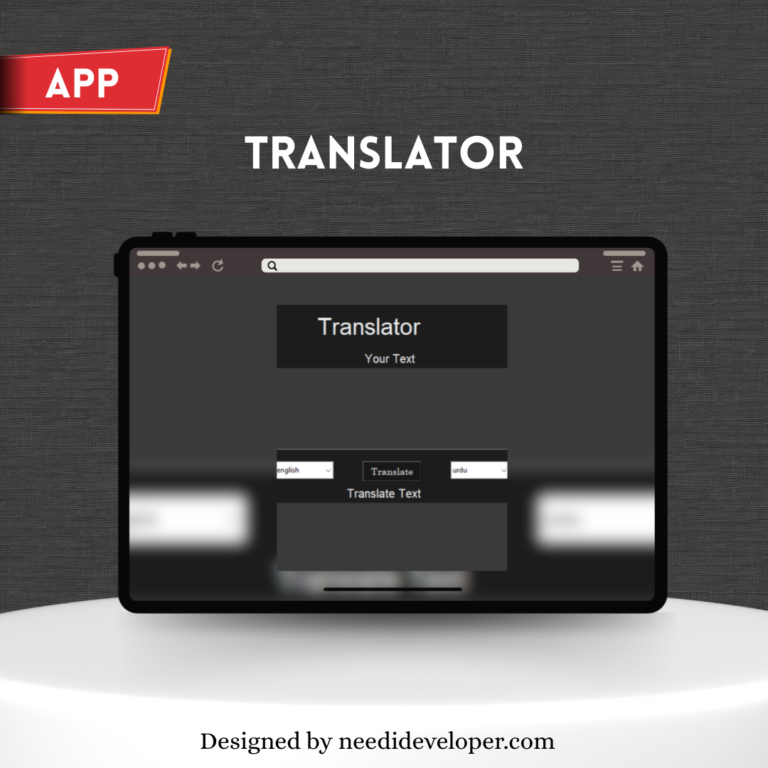
This project is a Python-based Language Translator Application that allows users to translate text between multiple languages in real-time. Using Googletrans, the app connects with Google Translate’s backend to convert words, sentences, or paragraphs instantly.
The Tkinter GUI provides a simple, interactive interface where users can type text, select source and target languages, and view translations in one click. It’s lightweight, beginner-friendly, and demonstrates how to integrate APIs with Python GUIs effectively.
⚙️ Features
🌐 Translate text between 100+ languages
🧩 Clean and responsive Tkinter GUI
🔄 Real-time translation
📋 Copy-paste text functionality
🧠 Uses Googletrans module for accurate translation
🎨 Custom dark UI theme
🧠 Technologies Used
Python 3
Tkinter (for GUI)
Googletrans API (for translation)
🧾 How It Works
The user enters text in the input box.
Selects source and target languages from dropdown menus.
On clicking the “Translate” button, the app sends the text to Googletrans.
The translated text appears instantly in the output text box.
🪄 Code Overview
Translator() – Creates a translator object.
translate() – Performs translation using Google’s backend.
ttk.Combobox – Provides language selection menus.
Text() – Used for text input/output areas.
📂 Use Cases
Ideal for multilingual chatting apps
Learning new languages
Translating articles or notes
Educational projects and Python portfolios
Project Preview
Ready to Grow Your Business Online?
Let’s chat and discover how our all-in-one digital solutions can help you attract, engage, and convert more customers.
We use cookies to ensure that we give you the best experience on our website. If you continue to use this site we will assume that you are happy with it.